 |
QBRICK
version 2.0
for
Autocad 2007 - 2022
<< click here to download Qbrick >>
QBrick is a tool that enhances the "break" command of autocad.
3 Commands are avaible within QBRICK:
EBRICK:
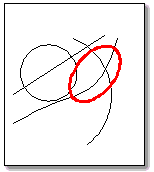
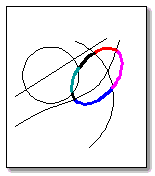
EBRICK Lets you break an entity at it intersection points with other autocad objects.
You must select the entity then the objects intersecting objects.
|
|
The ellipse in now broken to many parts according the intersection points. |
|
QBRICK:
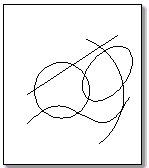
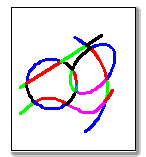
QBRICK Breaks all the selected entitys at their intersection points.
|
|
Objets are now broken at their intersection points. |
|
NBRICK:
Please note that This command may not function properly. it will fixed as soon as possible.
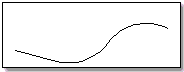
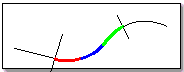
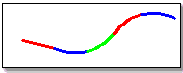
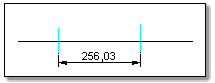
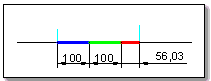
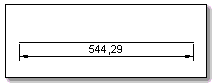
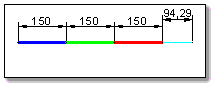
NBRICK breaks a curve or a part of a curve given the number of desired intervals, or the interval length.
When QBRICK is invoked, you're asked to select an element, or, using keywords, to use the EBRICK or QBRICK command.
Type 'F' to select the first point.
Option RDivide Original: |
Oprations:
|
Result: |
Option Divide Original: |
Oprations:
|
Result: |
Option RMeasure Original: |
Oprations:
|
Result: |
Option Measure Original: |
Oprations:
|
Result: |
<< click here to download Qbrick >>
Synapse Informatique. -Coop Immo Le Figuier N4 ZHUN Sud Quatier A Nouvelle Ville Tizi Ouzou 15000 Algrie. Tl:+213 26 21 45 14
Contact - Emploi